Mobile-First Design: Why Your Website Must Prioritize Phones in 2026
Over 60% of web traffic is mobile. Google uses mobile-first indexing. If your site isn't built for phones first, you're losing customers and rankings.
By Jesse
Mobile-First Design: Why Your Website Must Prioritize Phones in 2026
Over 60% of web traffic is mobile. Google uses mobile-first indexing. If your site isn't built for phones first, you're losing customers and rankings.
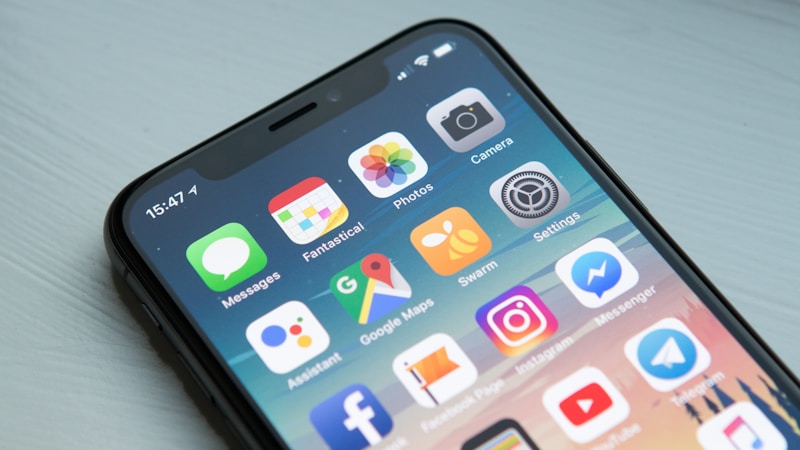
Phones Run the Web Now
Here's a number that should change how you think about your website: over 60% of all web traffic worldwide comes from mobile devices. For local businesses? Even higher - when someone searches "plumber near me" or "pizza in Cedar City," they're almost definitely on their phone.
But most business websites are still built desktop-first, with mobile as an afterthought. You know the result: squinting at tiny text, accidentally tapping the wrong button, waiting forever for pages to load. Visitors give up and call your competitor instead.
Google Literally Changed the Rules
In 2023, Google finished switching to mobile-first indexing. This isn't a small tweak - it fundamentally changes what matters for search rankings.
What it means in practice:
- Your mobile site determines your rankings. Not your desktop site.
- If your mobile version is slow, your rankings suffer
- If content is hidden or hard to access on mobile, Google might not even index it
- A great desktop site with a broken mobile experience will tank in search results
This is happening right now. Businesses with poor mobile experiences are actively falling behind mobile-optimized competitors.
Mobile Visitors Are Different
People on their phones behave differently than desktop users. Understanding this changes how you should build your site:
They're usually doing something else. In line at the store, waiting for an appointment, between meetings. They want quick answers, not essay-length content.
They're ready to act. Mobile searches have higher intent. "Pizza near me" means they're hungry NOW. "Emergency plumber" means water is literally flooding their kitchen. They're not browsing - they're deciding.
They use their fingers. Interfaces designed for mouse and cursor don't work when you're tapping with your thumb. Buttons too small to hit. Links too close together. Menus that need hover states.
They have zero patience. If your site frustrates them, they're gone in seconds. Not minutes. Seconds.
The screen is tiny. Content that looks great on a 27-inch monitor becomes unreadable on a 6-inch phone.
What Mobile-First Actually Means
Mobile-first doesn't mean making your desktop site "work" on phones. That's responsive design, and it's the minimum. Mobile-first means designing for phones FIRST, then expanding for larger screens.
The old way (responsive):
1. Design the desktop site
2. Shrink it down for tablets
3. Shrink it again for phones
4. Wonder why mobile users are leaving
Mobile-first approach:
1. Design for the smallest screens first
2. Figure out what's actually essential
3. Add more for tablets
4. Add even more for desktop
5. Mobile users actually stay
When you start small, you're forced to prioritize. There's no room for clutter. This clarity benefits everyone - even desktop users get a more focused experience.
Mobile Must-Haves
Speed is everything. Mobile users often have slower connections. That 3-second load on desktop might be 8 seconds on a phone. And every second costs you conversions.
What actually helps with speed:
- Compressed images in WebP format
- Lazy loading so images only load when needed
- Minimal code and scripts
- Good hosting that performs on mobile networks
- A CDN to serve content from closer servers
Touch targets need to be big enough. Fingers are larger than mouse cursors. Apple says minimum 44x44 pixels for anything tappable. Buttons need space between them so people don't accidentally hit the wrong one.
Navigation needs to simplify. Those giant mega-menus with 50 links? Disaster on mobile. Collapsible menus, clear hierarchy, easy access to the important pages. Consider a bottom navigation bar for the things people need most often.
Forms need fewer fields. Typing on a phone is annoying. Every field you can remove, remove. Use the right keyboard types (email field brings up @ key, phone field brings up numbers). Better yet, let people just tap to call.
Content needs prioritizing. Not everything from your desktop site belongs on mobile. Put the important stuff up top. Use expandable sections for secondary information.
Click-to-Call Is Huge
For service businesses, phone calls are usually the most valuable action a visitor can take. On mobile, this should be effortless.
Your phone number needs to be:
- Clickable on every page
- Prominent (header, sticky footer, wherever makes sense)
- Big enough to tap without trying three times
- Visible without scrolling
A well-designed click-to-call button often beats contact forms for mobile visitors. They're already holding a phone - make it one tap to call you.
Test Your Mobile Experience Right Now
Pull out your phone and visit your website. Actually look at it critically:
1. Can you read the text without zooming?
2. Can you tap buttons without hitting the wrong thing?
3. Can you find and call your phone number easily?
4. Can you fill out your contact form without frustration?
5. How long did the page take to load?
If any of those were no, you're losing customers.
For more rigorous testing, try Google's Mobile-Friendly Test (it's free) and PageSpeed Insights. Then test on a few different real phones - not just your own.
Common Mobile Mistakes
Tiny text. Body copy under 16 pixels is hard to read. Headlines under 20 don't stand out. Size things for comfortable reading without zooming.
Horizontal scrolling. If anything is wider than the screen and forces side-to-side scrolling, the site is broken. Fix it.
Auto-playing videos. They eat mobile data and annoy everyone. If you use video, make it optional and muted by default.
Desktop popups. Those lead capture popups that work fine on desktop often completely block the screen on mobile. Google actually penalizes "intrusive interstitials" on mobile now.
Fixed-width designs. Sites built for a specific pixel width (like 960px or 1200px) don't adapt to different screens. Real responsive design uses relative units.
Giant images. High-resolution images sized for retina screens but not compressed are huge files that kill load times. Serve appropriately-sized images for each screen.
For Local Businesses, Mobile Is Even More Critical
"Near me" searches are almost entirely mobile. 76% of people who search locally on their phone visit a business within a day.
Google Maps and local pack results dominate mobile search for local queries. Your click-to-call and direction buttons need to be prominent and easy to use. Your Google review rating is one of the few things visible at a glance, so it matters more than ever.
This Only Matters More Over Time
Mobile usage is still growing. 5G is making users expect even faster experiences. Voice search keeps increasing. Wearables like smartwatches add even smaller screens.
Your website either works on mobile or it doesn't. In 2026, there's really no middle ground anymore. Every day with a poor mobile experience is a day losing customers to whoever figured this out first.
Related reading
If you'd like a hand applying any of this to your own site, take a look at our Utah small-business web design services or call or text us. For more on this, see our guide to common small-business website mistakes.
About the Author
Jesse
Owner & Head of SEO
Jesse owns Surreal Marketing Services and leads SEO, local search, and growth for the business. He spends most of his week inside Google Search Console, Google Business Profiles, and Looker dashboards for Utah small businesses, and writes about what's actually moving the needle for local rankings right now.
More articles by Jesse →Need a Hand With This?
We write these articles to genuinely help Utah business owners succeed online. If you ever need help putting any of this into action, we'd love to hear from you. Even if we're not the right fit, we're happy to point you in the right direction and share some advice — no strings attached.


